Box Model of HTML Element

Box Model of HTML Element simply means container that stores the data inside in it. A block of content is stored inside the HTML tags becomes a box of content there two types of boxes in HTML elements.
Inline element:
Inline elements are the elements which takes the space as much the content, no extra spaces are necessary for that element. For example, input, label, span and text decorative tags like italic, bold, etc.
Block level element:
Block Level elements are the elements which takes whole width of its parent element or the web site even if it has low content. For example, div, heading tags, form, semantic tags etc.
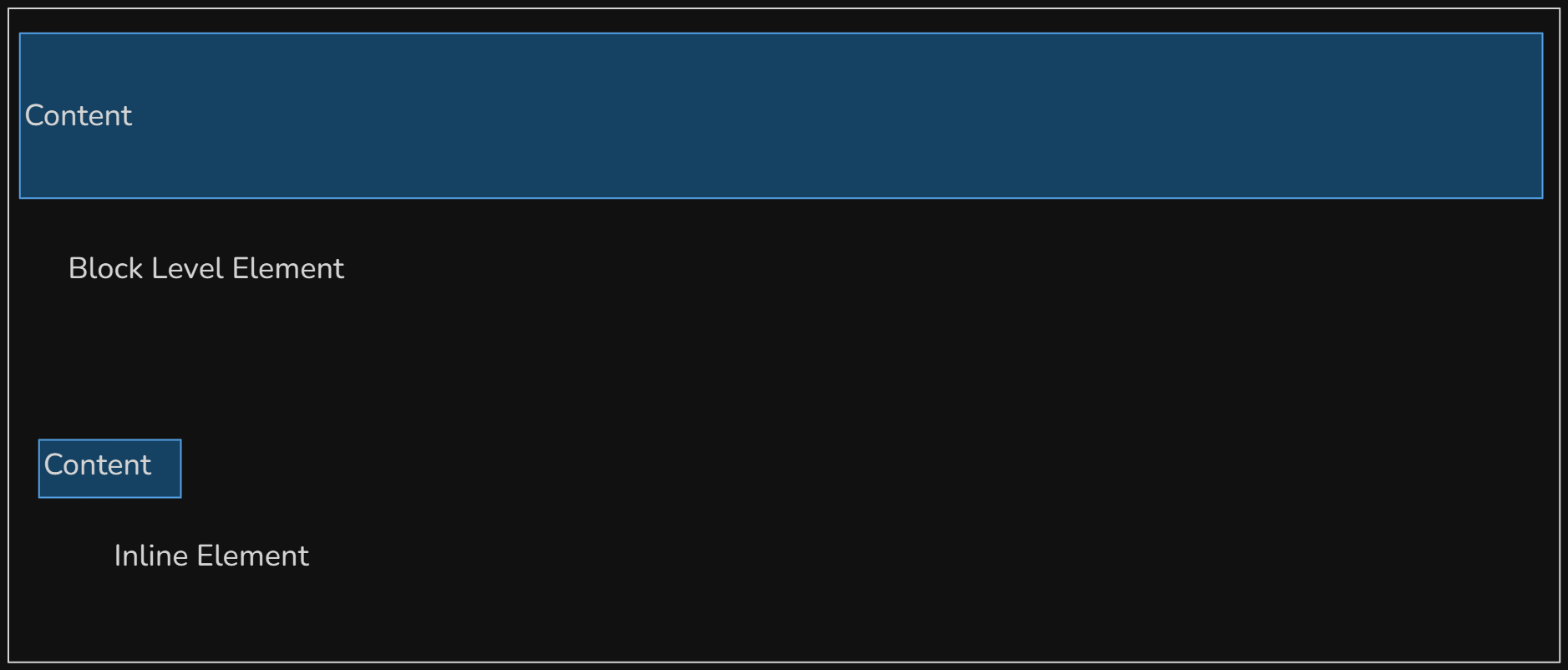
Inline vs Block level element.
We can modify these in CSS using “display” property.
div{
    display: block; /* or inline */
}
A box content in HTML contains three parts:
Content Section:
The content section is part of the content which indicates the place of the content inside the block.
Padding:
The padding is the gap between the content and border of the element.
Margin:
The margin is the space between the element’s border to the Neighbour elements or the gap between one element to another
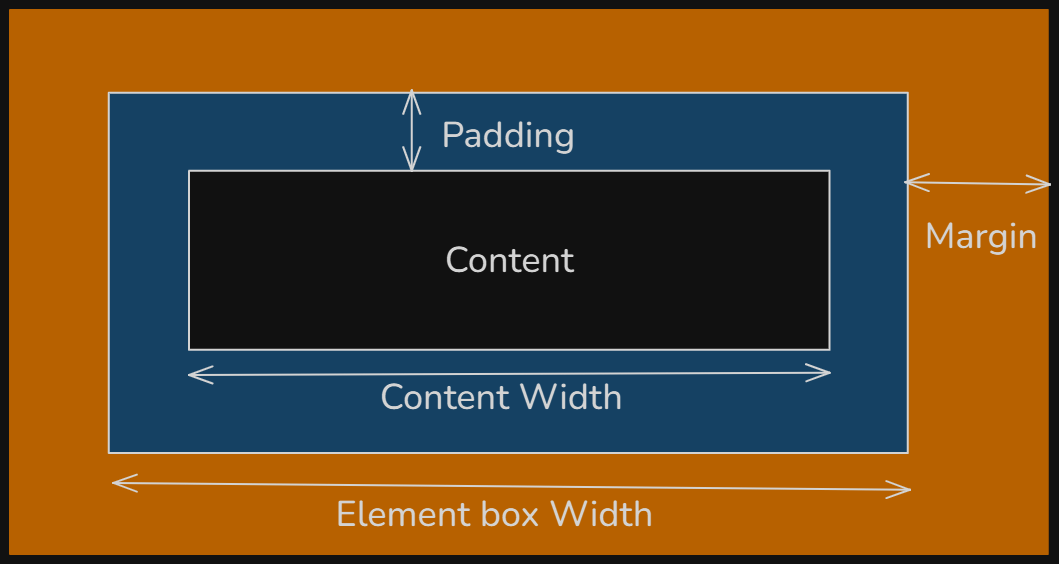
Types of Box Model:
Content Box
Content Box nothing but the box models you have seen upside,
By default, in HTML the elements are content box.
Border Box
Border Box is the box model which takes whole width including padding. It doesn’t exclude the padding when giving width size to an element. To make an element into border box we use following property in CSS:
box-sizing: border-box;
Thank you for reading this article, Hope stay together for new article. You can move to flex box and grid layout.


